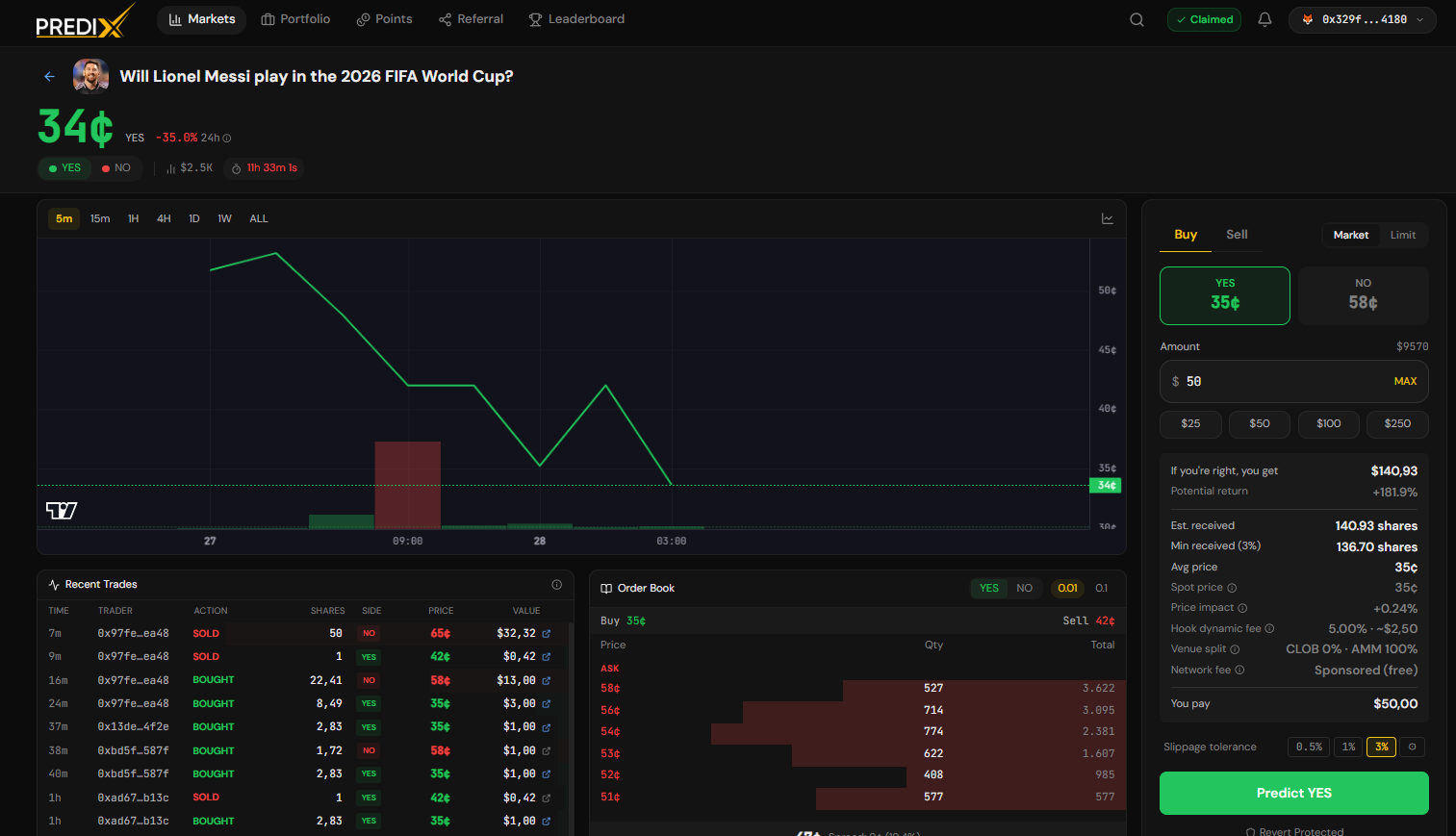
Yes/No Markets
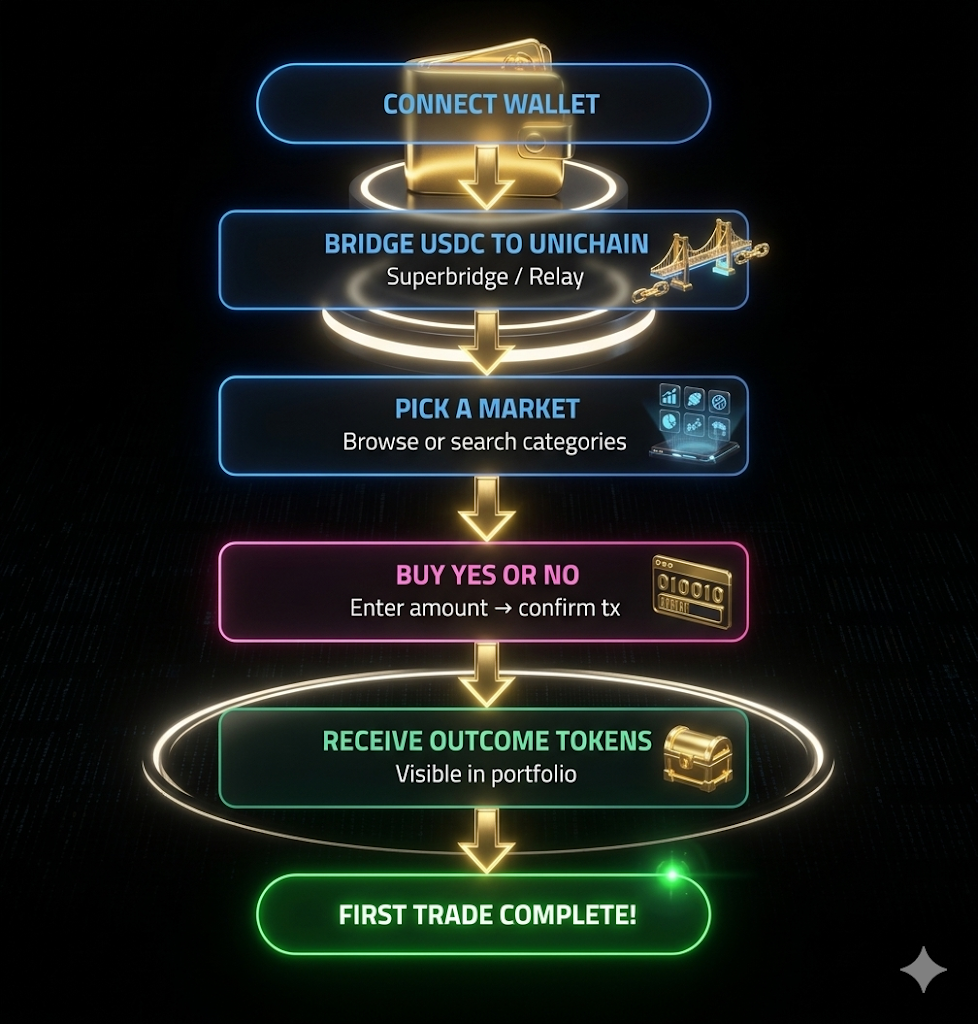
All in 1 atomic tx. If slippage exceeds tolerance → revert, no funds lost.
How to Trade (Buy YES/NO Tokens)
Section titled “How to Trade (Buy YES/NO Tokens)”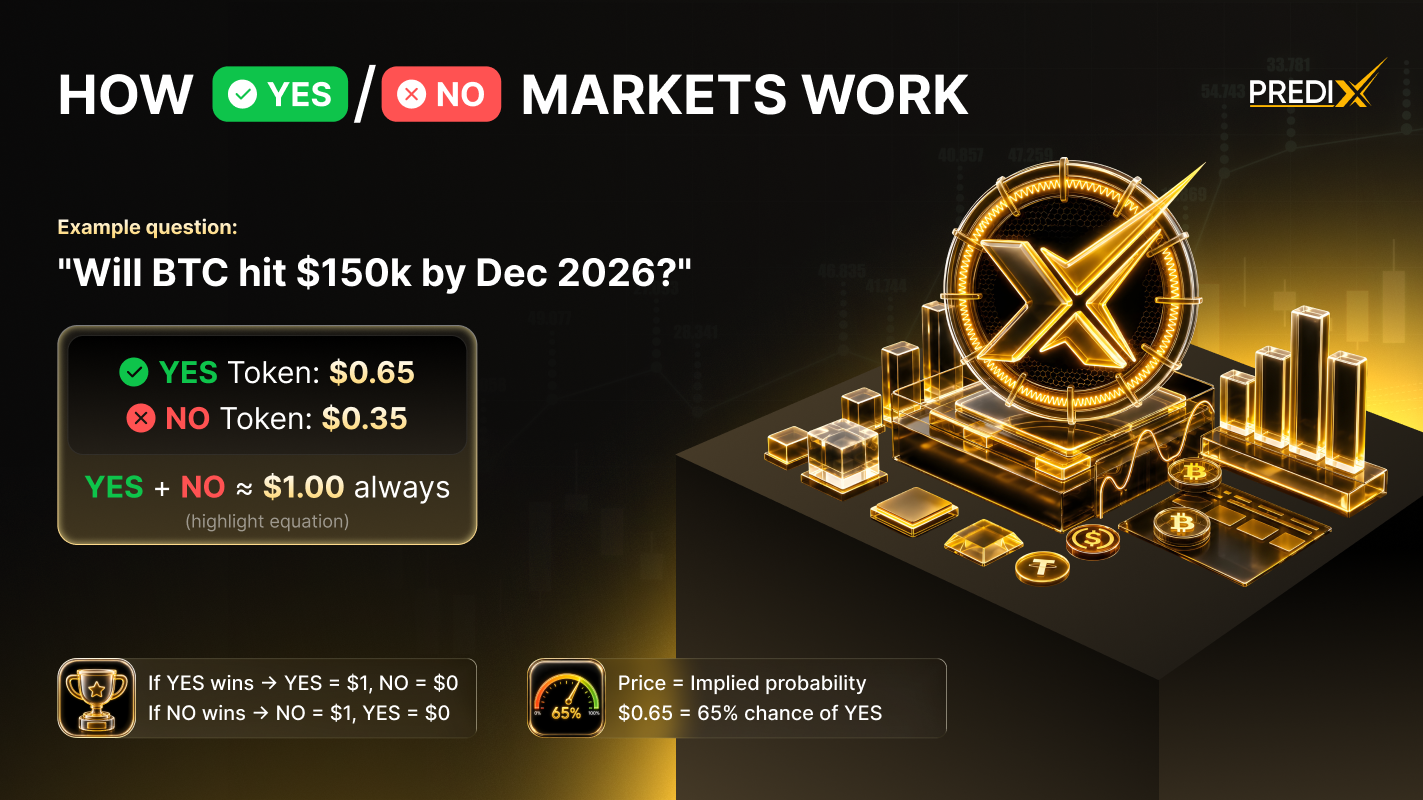
-
Step 1: Find a Market
- Navigate to the Markets page.
- Browse the list or use the search bar to find an event you are interested in.
- Click on the market card to open the Detail Page.
-
Step 2: Access Trading Panel
- On the right-hand side of the page, ensure the Buy tab is selected.
-
Step 3: Choose Your Position
Select your side based on your prediction:
- YES: You believe the event will happen.
- NO: You believe the event will not happen.
-
Step 4: Enter USDC Amount
- Input the USDC amount you want to spend (e.g., $$ $100$ $$).
-
Step 5: Preview the Trade
- Before confirming, check the preview details:
Tokens Received
- The total amount of YES or NO tokens you will get.
Average Price
- The cost per token based on current liquidity.
Slippage Estimate
- The expected price impact of your trade.
Execution Split
- The ratio of the trade filled via CLOB vs. AMM.
-
Step 6: Confirm and Execute
- Click the Buy button.
- Confirm the request in your wallet:
- Passkey Wallet: Use Touch ID / Face ID.
- EOA Wallet: Approve the MetaMask (or other wallet) popup.
-
Step 7: Completion
- The transaction typically confirms in ~2 seconds on Unichain.
- Your new position will immediately appear in your Portfolio.
How to Sell a Position
Section titled “How to Sell a Position”-
Step 1: Switch to the Sell Tab
- Open the trading panel on the right side of the market detail page.
- Select the Sell tab.
-
Step 2: Select Your Asset
- Choose the specific tokens you currently hold (YES or NO) that you wish to liquidate.
-
Step 3: Enter the Amount
- Input the quantity of tokens you want to sell.
- You can also use the percentage shortcuts (e.g., 25%, 50%, Max) to quickly fill the amount.
-
Step 4: Review and Confirm
- Preview USDC received: Check the estimated amount of USDC that will be credited to your wallet after the sale.
- Confirm: Click the Sell button and approve the transaction in your wallet to complete the trade.
Exit or Hold Until Resolution
Section titled “Exit or Hold Until Resolution”You can close your position anytime by selling YES/NO tokens on the market before resolution. Profit or loss depends on the current market price relative to your entry price.
If you choose to hold until the market resolves, winning outcome tokens can be redeemed 1:1 for USDC, while losing tokens become worthless.
Yes/No Markets Example
Section titled “Yes/No Markets Example”- Market context: “BTC above $100k before 2027-01-01?”.
- Current YES price = $0.48.
- You spend 100 USDC to buy YES:
| Path | Amount in | Avg price | YES out |
|---|---|---|---|
| CLOB (existing limit orders) | 40 USDC | $0.480 | 83.3 YES |
| AMM swap | 60 USDC | $0.485 | 122.7 YES |
| Total | 100 USDC | $0.483 | ~205 YES |
If BTC exceeds $100k before the deadline:
- Market resolves YES = true.
- You redeem 205 YES → receive USDC. Profit > 100 USDC.
If the event doesn’t happen:
- YES tokens = $0. Loss of 100 USDC.
Trading Order Types
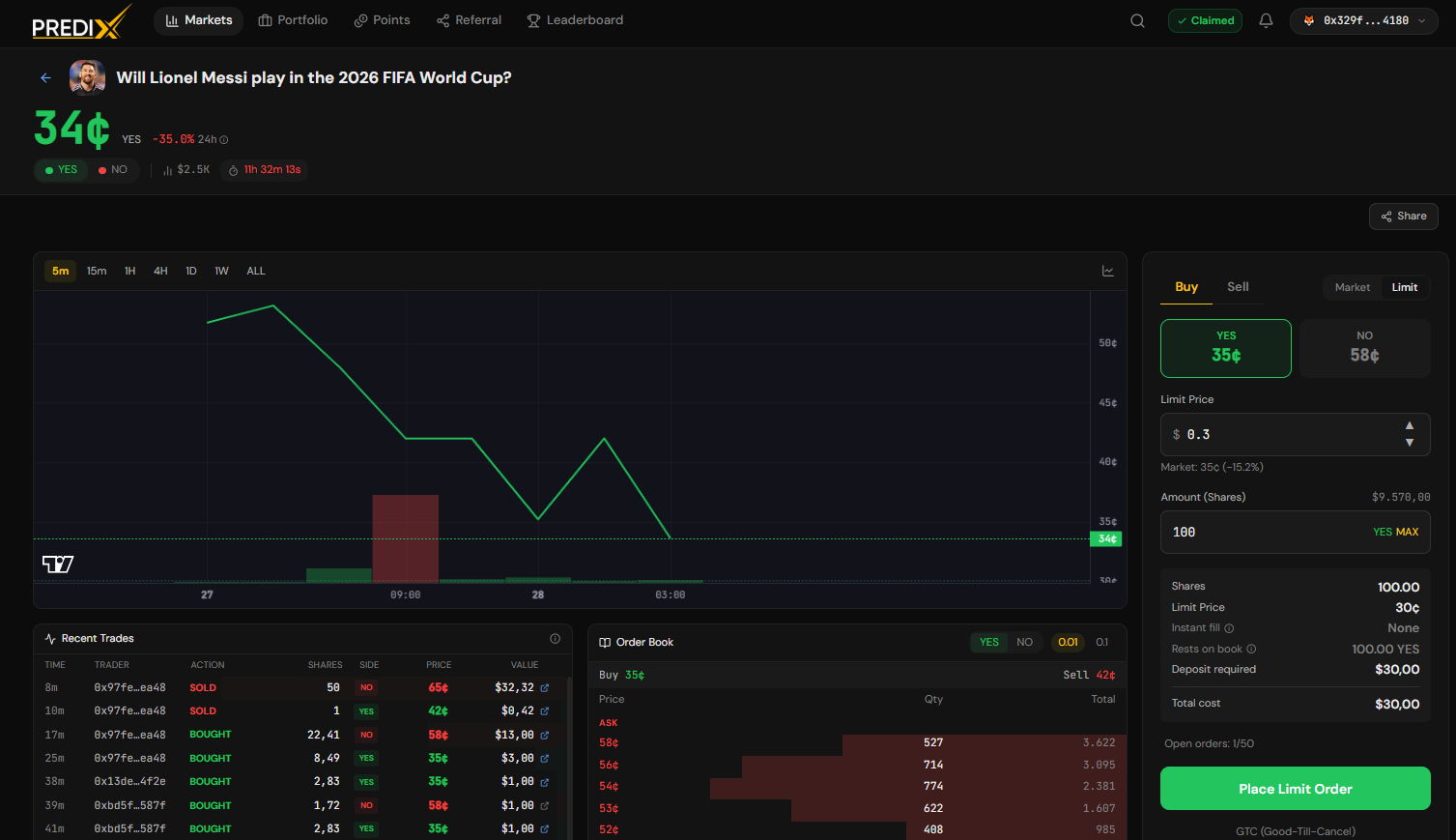
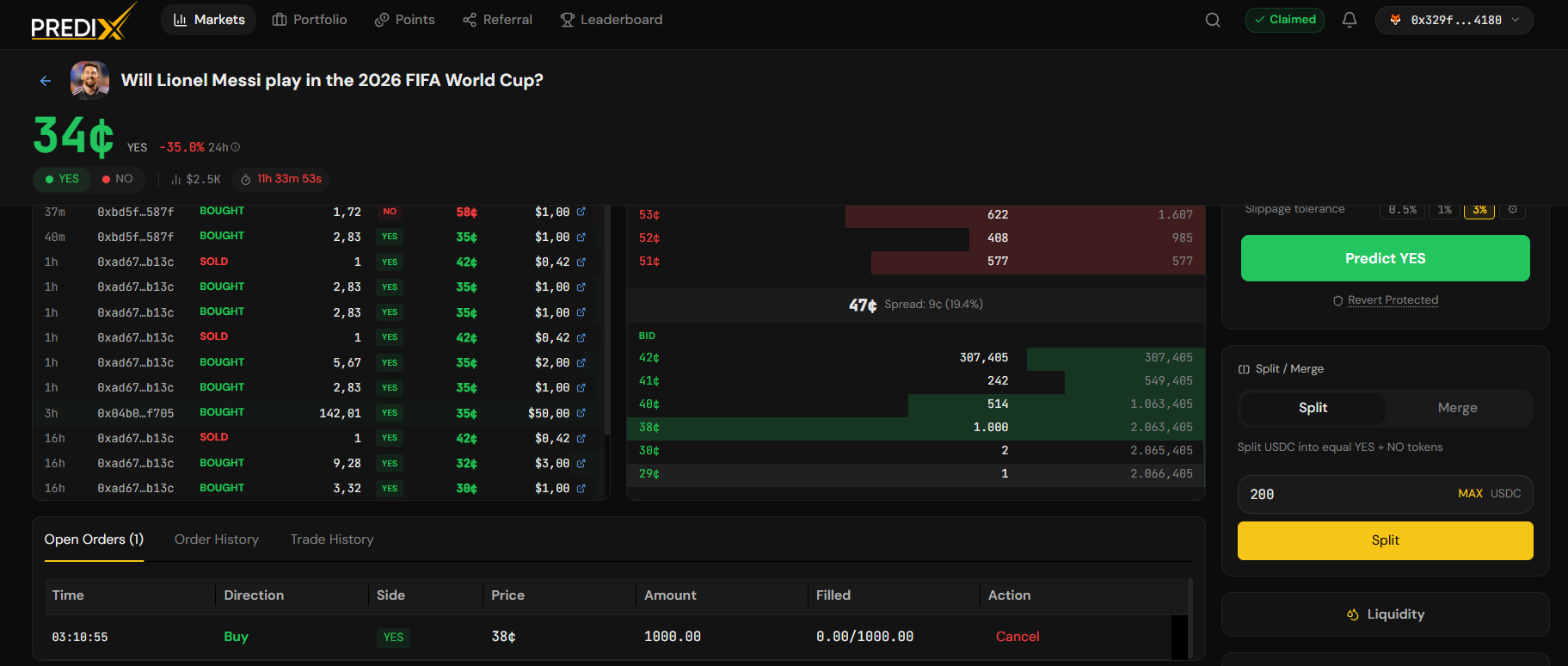
Section titled “Trading Order Types”| Cover image | ||
|---|---|---|
| Market Order | Enter immediately at current price | 20.png |
| Limit Order | Set a price and wait for it to fill | 21.png |
| Split & Merge | Mint / Burn a YES+NO pair for market-making or reclaim USDC | 19.png |