Redeem & Refund
Redeem winning tokens for $1 each, or burn YES+NO pairs to reclaim your USDC on unresolved markets. After a market resolves, exchange winning tokens for USDC. If a market cannot be resolved, use the refund flow.
Redeem vs Refund
Section titled “Redeem vs Refund”| 🏆 Redeem | 🛡️ Refund | |
| When |
|
|
| Trigger |
|
|
| What you submit |
|
|
| Payout |
|
|
| Losing tokens |
|
|
Redeem - market has resolved
Section titled “Redeem - market has resolved”Conditions:
market.isResolved == true- You hold the winning token (YES if outcome=true, NO if outcome=false)
How to Redeem Your Winnings
Section titled “How to Redeem Your Winnings”-
Step 1: Locate Finished Markets
- Navigate to your Portfolio.
- Use the filters to select Resolved markets. This will show you all events that have officially concluded.
-
Step 2: Check for Eligibility
- Look for the Redeem button next to each market.
-
Step 3: Review the Preview
Click the Redeem button to open a preview window showing:
- Token Count: The total number of winning tokens you are turning in.
- USDC to Receive: The total amount of USDC that will be credited to your account.
-
Step 4: Confirm in Wallet
- Click Confirm and authorize the transaction in your wallet (e.g., biometric authentication for passkeys or a signature for EOA).
- The transaction typically completes in ~2 seconds on Unichain.
-
Step 5: Settlement Complete
- The USDC is deposited directly into your wallet balance.
- Winning tokens are burned (removed from circulation), while losing tokens automatically drop to a value of $0.
Batch redeem
Section titled “Batch redeem”Multiple resolved markets → click Claim All → batched via passkey smart account (1 click, 1 tx, gas via paymaster). EOA users: each market requires a separate tx (wallets do not support native batching). Both account types receive sponsor coverage if the user qualifies for the program.
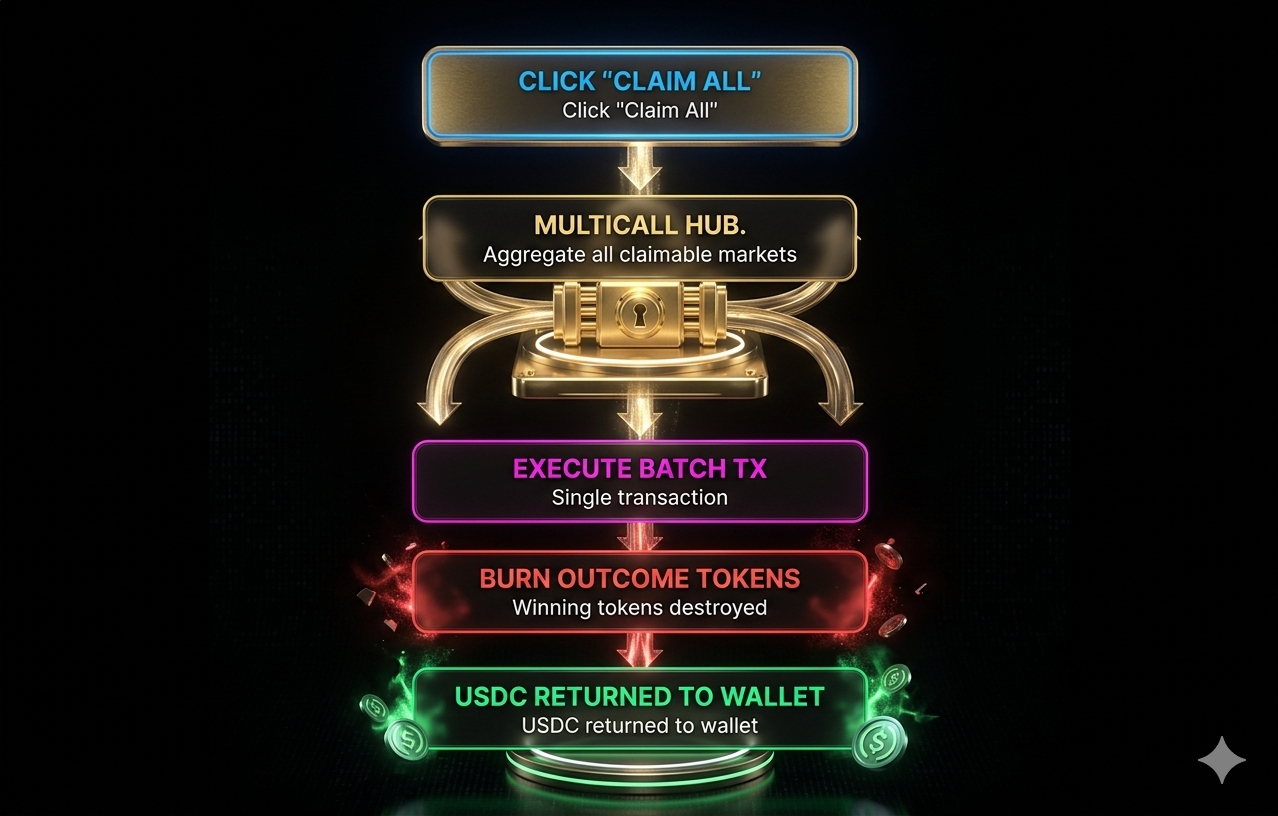
Batch redeeming process
Losing tokens
Section titled “Losing tokens”- No longer have value.
- Cannot be redeemed or traded (pool is drained).
- They still appear in your wallet with a balance, but market value = $0. Hide them by removing from your watchlist.
Refund mode - market cannot be resolved
Section titled “Refund mode - market cannot be resolved”When: Oracle is down, dispute is hung, multisig is unresponsive → admin enables refund mode via a 48h timelock.
Conditions:
market.refundModeActive == true- You hold both
YESandNO
How to Claim a Refund
Section titled “How to Claim a Refund”-
Step 1: Identify Refundable Markets
- Navigate to your Portfolio.
- Look for markets displaying a Refund available badge. This indicates the event was cancelled or voided.
-
Step 2: Initiate the Refund
- Click the Refund button to open the preview panel.
- Preview details: The system calculates the number of full pairs you hold -
min(yesBalance, noBalance)and shows the exact amount of USDC to be returned.
-
Step 3: Confirm in Wallet
- Click Confirm and authorize the transaction in your wallet (e.g., Touch ID for passkey or MetaMask popup).
- The transaction typically processes in ~2 seconds.
-
Step 4: Completion
- The USDC is returned directly to your wallet balance.
- The corresponding YES + NO token pairs are burned (removed from your holdings) as the collateral is released.
Refund Formula
Section titled “Refund Formula”refundAmount = min(yesBalance, noBalance)payout = refundAmount USDC (1:1)Example: you hold 100 YES + 80 NO:
- Refund 80 pairs → receive 80 USDC.
- 20 YES remaining → no NO to pair with, cannot be refunded.
Who decides to enable refund
Section titled “Who decides to enable refund”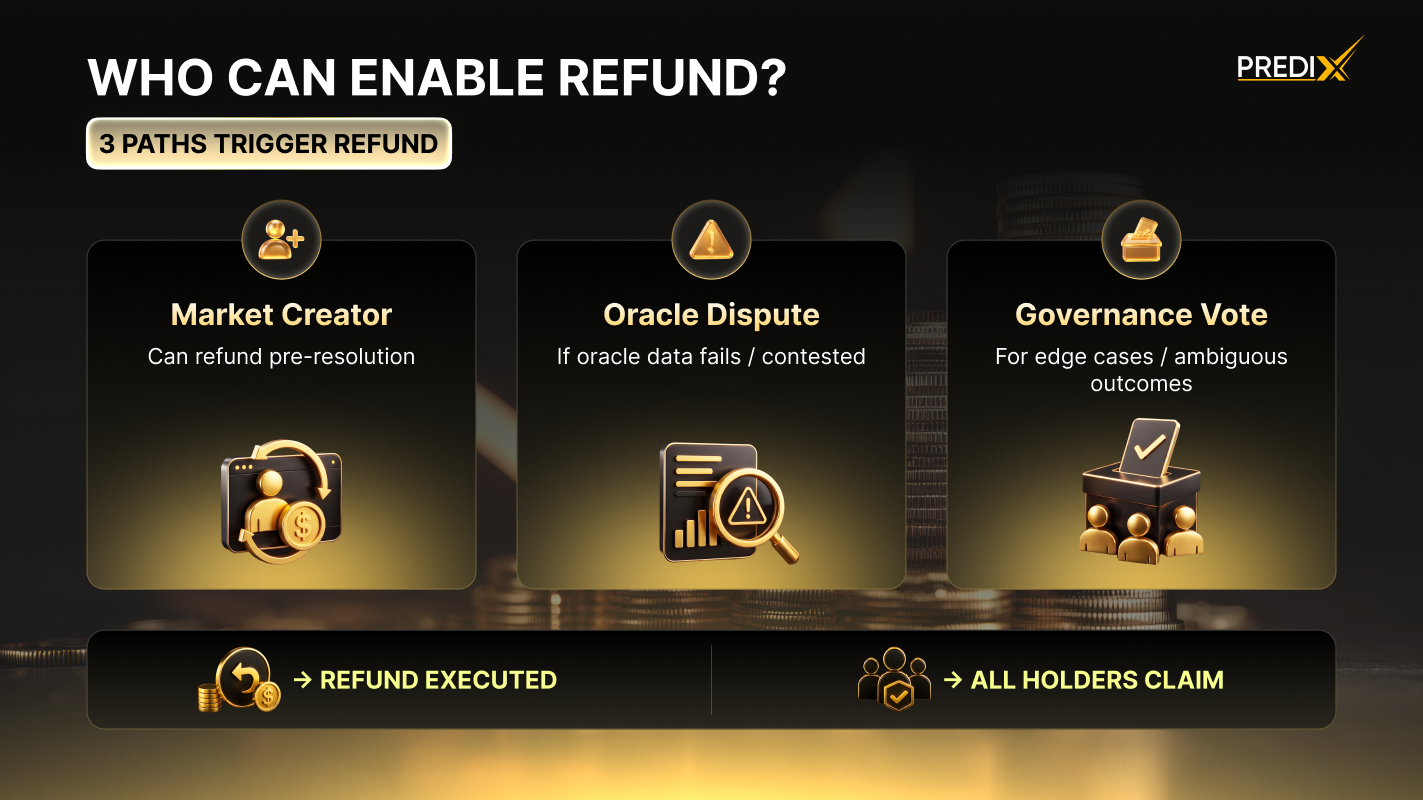
Refund mode prioritizes pro-rata fairness over first-come-first-serve. This prevents a scenario where early claimers drain all USDC, leaving nothing for later users.
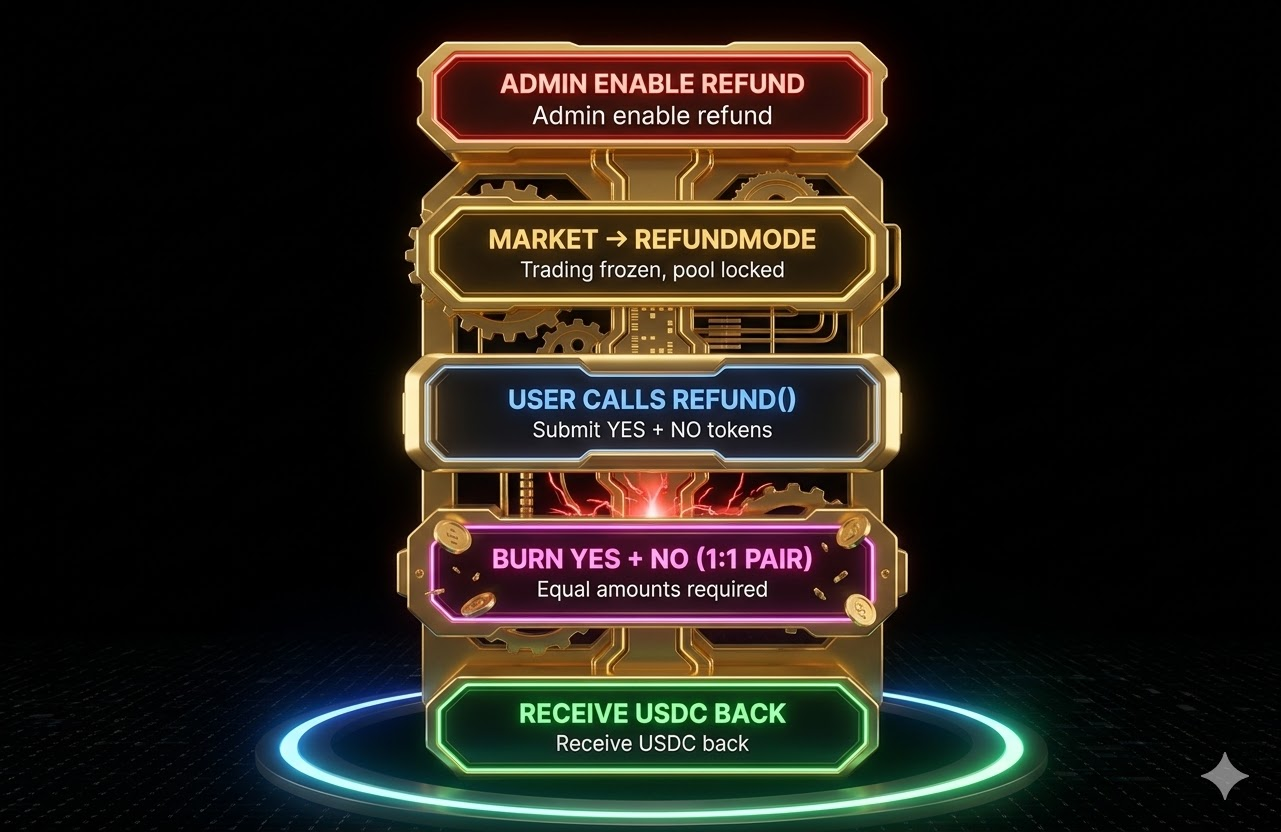
Refund decision model