Bridge to Unichain
PrediX uses USDC on Unichain as collateral via our in-app widget, direct CEX withdrawals, and gas-free Paymaster solutions. If your USDC is on another chain, you need to bridge it over.
Supported Source Chains
Section titled “Supported Source Chains”| Chain | Default bridge in app | Time | Estimated fee |
|---|---|---|---|
| Ethereum |
|
|
|
| Base |
|
|
|
| Arbitrum |
|
|
|
| Optimism |
|
|
|
| Polygon |
|
|
|
| CEX (Binance, Coinbase, OKX, etc.) |
|
|
|
Gas Fees (native ETH)
Section titled “Gas Fees (native ETH)”To pay transaction fees on Unichain you need a small amount of ETH on Unichain:
| Wallet type | Gas mechanism |
|---|---|
| Passkey + Smart Account |
|
| Web3 Wallet (EOA) |
|
Bridge Widget (in-app)
Section titled “Bridge Widget (in-app)”PrediX UI has an integrated Bridge widget - no need to open Across/Stargate in a separate tab.
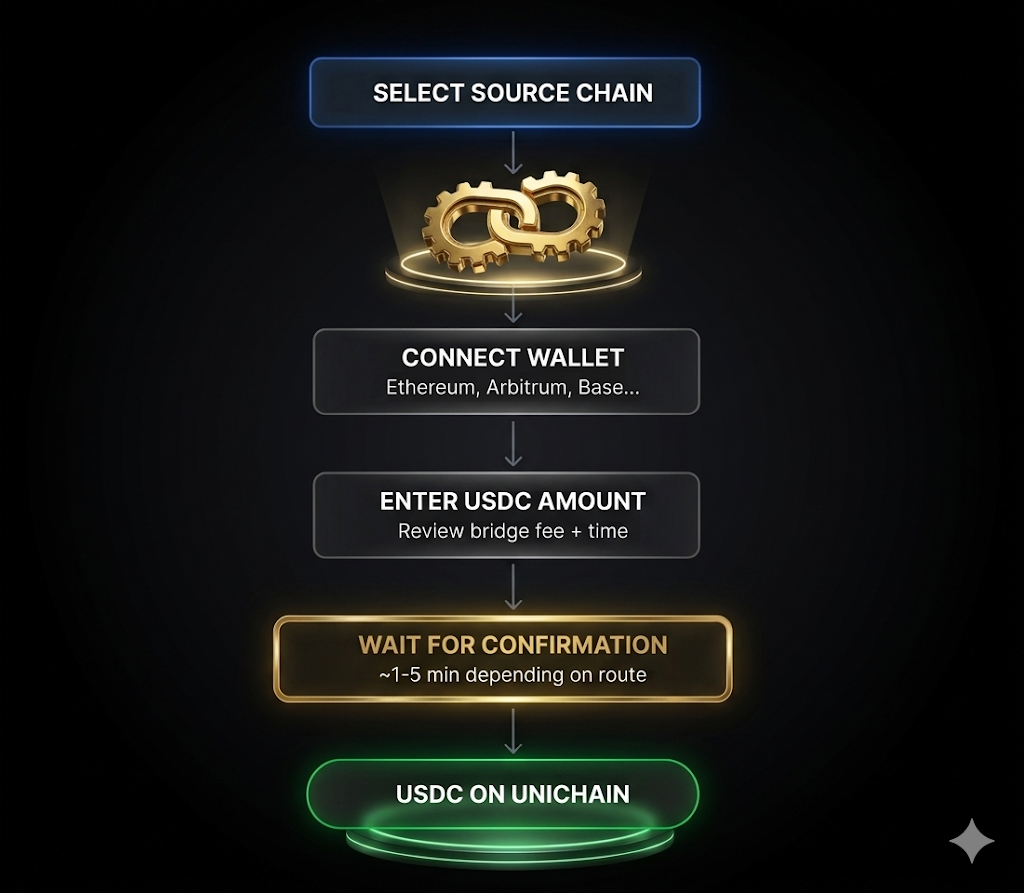
PrediX Bridge Widget
How to Bridge USDC to Unichain
Section titled “How to Bridge USDC to Unichain”-
Step 1: Open the Deposit Menu
- Navigate to the app header and click on Deposit.
-
Step 2: Choose the Bridge Option
- From the available methods, select Bridge from another chain.
-
Step 3: Configure Your Transfer
- Select your Source Chain (e.g., Ethereum, Arbitrum, Base).
- Enter the USDC amount you wish to transfer.
-
Step 4: Review the Quote
Check the generated quote for:
- Fees: The cost of the bridge transaction.
- Time Estimate: How long the transfer will take.
- Final Amount: The exact USDC you will receive on Unichain.
-
Step 5: Approve the Token
- Approve USDC on the source chain to allow the bridge to move your funds.
-
Step 6: Execute the Deposit
- Click Deposit and sign the transaction in your wallet on the source chain.
-
Step 7: Monitor Status
- The app will automatically switch your network to Unichain and poll for the transaction status.
-
Step 8: Completion
- Once the process is complete, the USDC will arrive in your Unichain wallet. You are now ready to trade.
How to Withdraw Directly from a CEX to Unichain
Section titled “How to Withdraw Directly from a CEX to Unichain”Many major exchanges (such as Coinbase) now support native withdrawals to Unichain, allowing you to skip the manual bridging process and save on fees.
[insert video here]
-
Step 1: Start the Withdrawal
- On your CEX account, navigate to your wallet/assets and select USDC.
- Click on Withdraw.
-
Step 2: Select the Correct Network
- When prompted to choose a Network, select Unichain.
-
Step 3: Enter Your Destination Address
- Copy your Unichain wallet address from the PrediX UI.
- Paste it into the recipient address field on the CEX.
-
Step 4: Verify Security
- Enter the amount you wish to withdraw.
- Confirm the transaction using your 2FA (Authenticator app) or Email verification.
-
Step 5: Wait for Delivery
- Your funds will be processed by the CEX.
- This typically takes 5–30 minutes depending on the exchange’s internal review and network congestion. Once confirmed, your USDC will appear in your PrediX wallet.
Reverse Bridge (Unichain → Another Chain)
Section titled “Reverse Bridge (Unichain → Another Chain)”Same UI, opposite direction:
-
Step 1: Open the Withdrawal Menu
- Navigate to the app header and click on Withdraw.
-
Step 2: Select the Bridge Option
- From the available methods, select Bridge to another chain.
-
Step 3: Configure Your Transfer
- Choose your Destination Chain (e.g., Ethereum, Base, or Arbitrum).
- Enter the Amount of USDC you want to bridge.
-
Step 4: Authorize the Transaction
- Review the estimated fees and arrival time.
- Sign the transaction in your wallet on the Unichain network.
-
Step 5: Processing and Completed
- Monitor the progress bar within the app.
- Wait for completion: The transfer typically takes 2–15 minutes before the funds appear on your destination chain.
Slippage & Quote
Section titled “Slippage & Quote”Bridges involve slippage (USDC prices across chains have a small spread).
- Across, Stargate: typically 0.05-0.2% slippage.
- The app quote shows: amount out after deducting fees + slippage.
- If prices move significantly during the bridge, you may receive a refund to the source chain (Across/LayerZero handle this case).
If the Bridge Gets Stuck
Section titled “If the Bridge Gets Stuck”- Across, Stargate: usually auto-complete within 1-30 minutes. If nothing after 1 hour: check the source chain explorer (tx confirmed?), check the destination chain (UserOp/relay arrived?).
- Contact bridge support directly - PrediX does not operate bridges, only integrates the UI.